
1. Homebrew で node をインストール
% brew update
% brew install node
% node --version
v16.10.0
2. ディレクトリを作成して create-react-app をインストール
% mkdir React
% cd React
%
コマンド「npm install -g create-react-app」を実行します。
% npm install -g create-react-app
npm WARN deprecated tar@2.2.2: This version of tar is no longer supported, and will not receive security updates. Please upgrade asap.

added 67 packages, and audited 68 packages in 4s

4 packages are looking for funding
  run `npm fund` for details

2 high severity vulnerabilities

Some issues need review, and may require choosing
a different dependency.

Run `npm audit` for details.
いくつか警告が出ている様ですがとりあえず無視して進みます。
3. React プロジェクトの作成
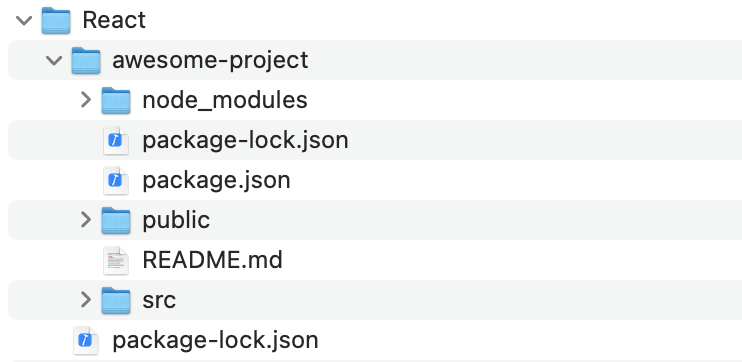
例として「awesome-project」という React プロジェクトを作成するとします。
コマンド「create-react-app awesome-project」を実行します。
% create-react-app awesome-project

Creating a new React app in /Users/ユーザー名/React/awesome-project.

Installing packages. This might take a couple of minutes.
Installing react, react-dom, and react-scripts with cra-template...


added 1934 packages, and audited 1935 packages in 2m

150 packages are looking for funding
  run `npm fund` for details

10 moderate severity vulnerabilities

To address all issues, run:
  npm audit fix

Run `npm audit` for details.

Initialized a git repository.

Installing template dependencies using npm...

added 56 packages, and audited 1991 packages in 7s

151 packages are looking for funding
  run `npm fund` for details

10 moderate severity vulnerabilities

To address all issues (including breaking changes), run:
  npm audit fix --force

Run `npm audit` for details.
Removing template package using npm...


removed 1 package, and audited 1990 packages in 3s

151 packages are looking for funding
  run `npm fund` for details

10 moderate severity vulnerabilities

To address all issues (including breaking changes), run:
  npm audit fix --force

Run `npm audit` for details.

Created git commit.

Success! Created awesome-project at /Users/ユーザー名/React/awesome-project
Inside that directory, you can run several commands:

  npm start
    Starts the development server.

  npm run build
    Bundles the app into static files for production.

  npm test
    Starts the test runner.

  npm run eject
    Removes this tool and copies build dependencies, configuration files
    and scripts into the app directory. If you do this, you can’t go back!

We suggest that you begin by typing:

  cd awesome-project
  npm start

Happy hacking!
%
4. React プロジェクトの実行
% cd awesome-project
% npm start
「awesome-project」フォルダの中に入り、コマンド「npm start」を実行します。
ターミナルの表示が下記に変わり、ブラウザが起動します。
Compiled successfully!

You can now view awesome-project in the browser.

  Local:            http://localhost:3000
  On Your Network:  http://192.168.3.3:3000

Note that the development build is not optimized.
To create a production build, use npm run build.
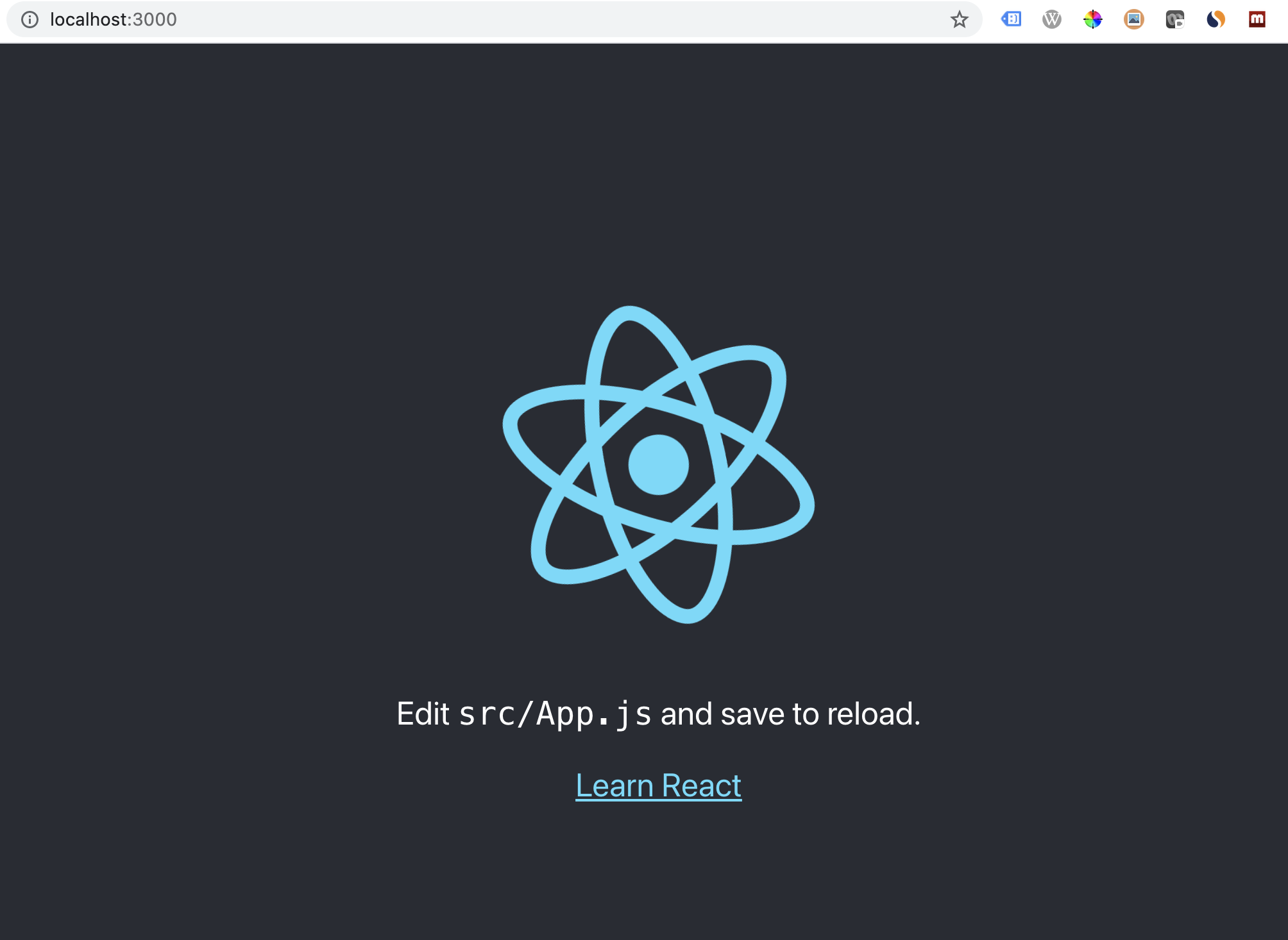
ブラウザで上記の表示が出れば無事起動できています。
Control+C でサーバーを停止します。